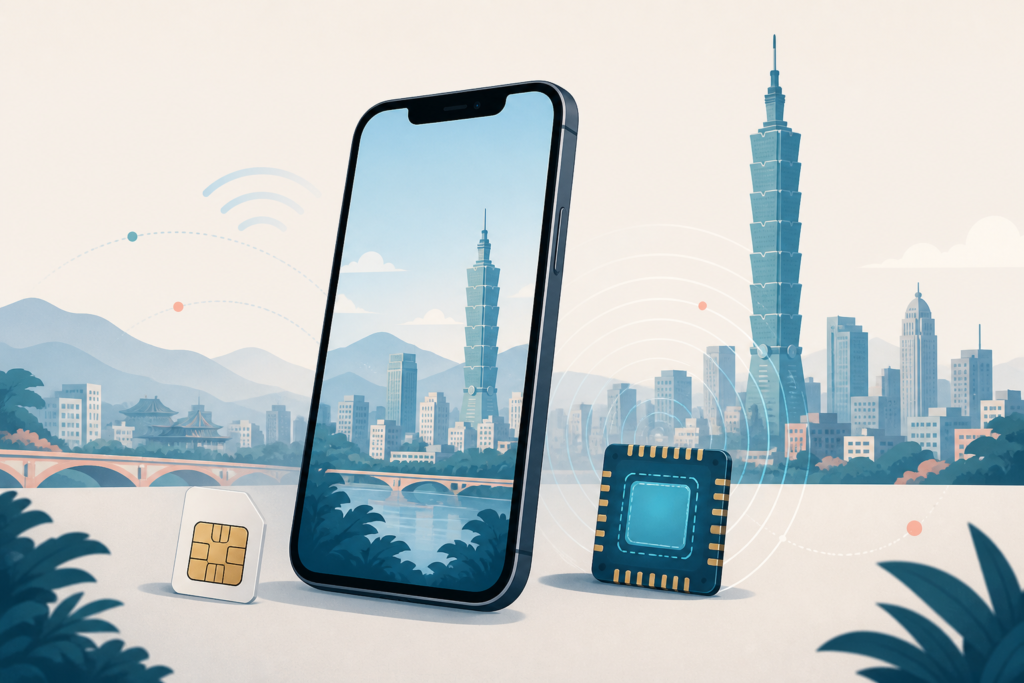
Quick answer: Choose an eSIM if your phone is unlocked and compatible and you want to avoid a SIM swap. Choose a physical SIM at Taoyuan Airport if you want counter staff to check setup and you need a Taiwan number. Choose Philippine roaming if keeping your number and avoiding any SIM setup matters more than getting a local tourist plan. There is no universal winner.
- 3–5 days: an activated travel eSIM, a short local tourist plan or a small roaming pack can all work; choose by compatibility, data need and arrival time.
- 7–14 days: compare the full validity period, hotspot rules and voice credit—not only the displayed price.
- Landing late: do not depend on a counter being open. Arrive with a working roaming/eSIM backup, saved hotel address and offline map.
Official operator and device information checked on August 13, 2026. Plans, prices, promotions, counter hours and accepted documents can change. This guide emphasizes decision logic and links to the live official pages instead of preserving a large price table.
Choose your Taiwan internet setup in 10 seconds
| Option | Choose this if… | Main tradeoff | Best preparation |
|---|---|---|---|
| eSIM before flying | Your unlocked phone supports eSIM and the seller clearly explains when installation and validity begin. | Setup errors can be harder to solve after landing; some travel eSIMs are data-only. | Install on reliable Wi-Fi, label both lines and save the QR or help channel as instructed. |
| Local operator eSIM | You want a Taiwan operator plan without removing your Philippine SIM. | Official local eSIM issuance may still require an airport or store identity check; it is not always a fully remote pre-arrival product. | Bring the required original IDs and confirm model support before purchase. |
| Airport physical SIM | You want staff assistance, a local number and a straightforward option for an unlocked phone with a SIM tray. | Counter queues, stock and operating hours add arrival friction. | Know your terminal, bring original IDs and keep your Philippine SIM safely. |
| City-store physical SIM/eSIM | You can use roaming or Wi-Fi for the first trip into the city and prefer to buy later. | Tourist products and accepted documents vary by operator and store. | Verify the official store and product before traveling across town. |
| Philippine roaming | You want your existing number active with minimal setup, or only need a small amount of data. | Data allowance, expiry, partner network and out-of-package charges depend on your Philippine carrier and plan. | Activate and buy the correct pack before departure; know what happens when it expires. |
How this guide separates facts from guidance
- OFFICIAL FACT comes from an operator, device maker or responsible service provider.
- PRACTICAL GUIDANCE is a conservative setup or backup recommendation.
- APRIL FILIPINO PERSPECTIVE uses only April’s documented concern or experience.
- KAI TAIWAN LOCAL PERSPECTIVE is reserved for verified Kai experience. No new Kai first-person network claim is added here.
eSIM vs physical SIM
Choose eSIM if arrival speed matters
PRACTICAL GUIDANCE: eSIM is usually the cleanest setup when you have already confirmed that the exact phone model is unlocked, supports eSIM and can keep your Philippine line active. It avoids handling a tiny card and can give you data before you leave the terminal. The tradeoff is that activation timing, QR-code reuse, transfer and support rules differ by provider.
OFFICIAL FACT: Chunghwa Telecom, Taiwan Mobile and Far EasTone all document eSIM support, but their tourist purchase paths are not identical. Chunghwa says an eSIM can be downloaded with airport or store Wi-Fi assistance. Taiwan Mobile offers physical SIM or eSIM for its traveler card through airport counters, reserved store pickup or stores. Far EasTone confirms a tourist eSIM exists, while its dedicated tourist-card page primarily describes the Taoyuan Airport physical SIM product and directs readers to in-store information for current eSIM details.
Choose a physical SIM if you want staff help
PRACTICAL GUIDANCE: A physical SIM is a strong first-trip choice when your unlocked phone has a SIM tray and you want staff to confirm that mobile data works before you walk away. It may also be simpler if your phone does not support eSIM. You must store your Philippine SIM securely and understand how your phone handles calls, messages and data with one or two SIMs.
Major Taiwan operators to consider
Do not treat this as a coverage ranking. Signal and speed can change with location, building materials, terrain, device bands, user load and network conditions. Compare the product you can actually buy, its validity, support path and restrictions.
Chunghwa Telecom
OFFICIAL FACT: Chunghwa’s visitor page currently offers 5G/4G prepaid SIM and eSIM day plans, describes unlimited mobile data during the package period, includes varying voice credit and says internet sharing is supported. It sells through airport counters and service centers. Its official visitor page currently says payment for this product is in New Taiwan dollar cash. The eSIM setup page says local eSIM issuance requires an in-person operator contact and two original identity documents.
Choose Chunghwa if its live duration, payment rule, counter/store location and documented sharing terms fit your trip. Do not infer that “unlimited” removes every acceptable-use or device limitation.
Taiwan Mobile
OFFICIAL FACT: Taiwan Mobile’s tourist page offers 4G/5G traveler cards as physical SIM or eSIM through airport counters, online reservation for store pickup and physical stores. It documents day-based validity from activation, included airtime and a non-extendable tourist number. Its 5G terms give hotspot sharing a separate included allowance; when that allowance is used, hotspot sharing stops even though phone data can continue during the plan validity.
Choose Taiwan Mobile if you want its physical/eSIM choice and pickup path and have checked the current hotspot allowance for the exact 4G or 5G plan. Do not assume voice top-up extends the unlimited-data period.
Far EasTone
OFFICIAL FACT: Far EasTone’s official tourist page currently describes Taoyuan Airport-only 4G physical SIM day plans with unlimited data during the plan period and varying voice/SMS credit. The page lists Terminal 1 and Terminal 2 airport stores and warns that internet speed varies by location, weather and phone. A separate official eSIM page confirms that tourist eSIM plans exist, requires original identity documents and says actual tourist eSIM details may vary by store.
Choose Far EasTone if its airport counter, physical product or confirmed in-store eSIM terms fit your arrival. Ask specifically about hotspot use and extension before paying because the tourist page does not provide the same explicit hotspot promise as the other operator pages.
Buy before flying or at Taoyuan Airport?
Buy before flying when you have a reputable eSIM or confirmed roaming pack, understand exactly when validity starts and want maps or messages immediately after landing. A pre-arrival travel eSIM may be data-only and may use a partner network rather than giving you a Taiwan phone number.
Buy at Taoyuan Airport when you prefer operator staff, a local tourist product and identity/activation help. Official operator pages currently document telecom counters in both Terminal 1 and Terminal 2 arrival areas, but counter hours differ by operator, location and immigration side. They are not all open 24 hours. Check the live operator page for your terminal on your travel date instead of relying on a saved hour.
Arrival planning: save the exact counter or backup before flying, then use our Taoyuan Airport to Taipei guide for MRT, bus and taxi decisions. Do not delay your final city transport simply to compare every telecom promotion.
Phone compatibility and pre-flight setup
- Confirm the phone is unlocked. An unlocked phone can use another operator; a model that supports eSIM can still be carrier-locked.
- Confirm the exact model and purchase region. eSIM availability can differ between phones with the same marketing name.
- Check dual-SIM behavior. Many phones can keep two lines active but use only one mobile-data line at a time.
- Label both lines. Use clear names such as “Philippines” and “Taiwan” before choosing the mobile-data line.
- Protect the Philippine line. Keep it enabled for OTP or SMS only when your carrier/account supports roaming, and turn off its data roaming unless you intentionally bought a roaming plan.
- Know the activation trigger. Installation, QR download, first network connection and plan activation may be different events.
- Save support details offline. Keep the provider name, order confirmation and recovery instructions somewhere that does not require the new connection.
Documents: Taiwan operators document identity verification for prepaid/eSIM service. Bring your original passport plus a second original government-issued identity document. Accepted secondary documents vary and some operator examples are Taiwan-issued documents or a visa, so confirm the live list with the operator; do not assume a photo or photocopy is enough.
Hotspot and heavy-data travelers
If you will tether a laptop, upload video, work remotely or share one connection with a group, ask four questions before purchase: Is tethering permitted? Is there a separate hotspot allowance? Does “unlimited” include an acceptable-use restriction? What happens after the hotspot allowance or validity ends?
Chunghwa explicitly advertises shareable internet. Taiwan Mobile explicitly limits 5G hotspot sharing to the included hotspot allowance even while phone data remains available. Far EasTone’s tourist page does not make an equally specific hotspot commitment. These differences are why one generic “unlimited Taiwan SIM” label is not enough.
Should you use Philippine roaming instead?
Choose roaming if you want the fewest setup steps, must keep your Philippine number available or only need modest data. Globe currently lists Taiwan-specific GoRoam options and says the service is available to eligible Postpaid, Prepaid and TM customers. Smart tells Prepaid/TNT users to activate roaming before departure and use its live GigaRoam site to see destination plans. Offers and eligibility can change, so this guide does not preserve a Philippine price table.
Important: keeping a line active for OTP does not mean all banking apps, Philippine carriers or senders guarantee overseas SMS delivery. Regular calls, outgoing SMS and data outside a pack may have separate charges. Before flying, verify eligibility, activation, Taiwan partner network, allowance, expiry behavior and the cost after expiry with your own carrier.
Late-night arrival and no-internet plan
- Best low-friction plan: activate a compatible eSIM or roaming pack before departure, but confirm that validity does not start too early.
- If buying at the airport: check your terminal’s live counter listing on the operator website shortly before the flight.
- If every counter is closed: connect only to the airport Wi-Fi network identified onsite, use your saved hotel address and follow your pre-saved transport plan.
- If eSIM activation fails: do not delete the profile unless the provider tells you to; some QR codes cannot be reused.
- Keep a true offline backup: screenshot the accommodation name/address in English and Traditional Chinese, booking contact, airport route and first-day meeting point.
April’s Filipino traveler perspective
APRIL FILIPINO PERSPECTIVE: April’s documented first-Taiwan concern is navigation: she wants to visit places without constantly worrying about how to get back to the accommodation, and language adds to that anxiety. That makes immediate access to maps, translation and Messenger practically valuable. This is a real concern from April’s existing material, not a claim that she used or recommends a particular Taiwan SIM or eSIM.
KAI TAIWAN LOCAL PERSPECTIVE: No new Kai firsthand carrier or coverage comparison is used. The local guidance in this article comes from current official operator information and conservative arrival planning.
Common Taiwan SIM and eSIM mistakes
- Buying an eSIM before checking the exact device model, purchase region and carrier lock.
- Installing or activating too early without knowing when validity begins.
- Leaving the Philippine SIM selected for mobile data and creating unwanted roaming use.
- Assuming every “unlimited” plan has the same hotspot, acceptable-use and voice terms.
- Assuming every Taoyuan telecom counter is always open.
- Deleting an eSIM profile before checking whether its QR code can be downloaded again.
- Throwing away the physical SIM packaging or storing the Philippine SIM loosely before service works.
- Depending on one connection method without an offline address, map or arrival backup.
First-day internet checklist
- Phone unlocked and exact eSIM/physical SIM compatibility checked.
- Passport and second original ID packed.
- Plan validity, data wording, voice/SMS credit, hotspot and extension rules checked.
- Philippine and Taiwan lines clearly labeled; intended mobile-data line selected.
- Unwanted data roaming disabled; intended roaming pack verified if used.
- Maps, translation, Messenger and accommodation details tested.
- Physical SIM, QR instructions and provider support details stored safely.
Continue your first Taiwan trip
- Use First Trip to Taiwan for the complete preparation sequence.
- Choose your airport transfer with Taoyuan Airport to Taipei: MRT, Bus or Taxi?
- Prepare city transport with the EasyCard and Taipei MRT guide.
- Match your connection and luggage needs with Where to Stay in Taipei.
Official sources
- Chunghwa Telecom: visitor prepaid SIM/eSIM
- Chunghwa Telecom: eSIM setup and document requirements
- Taiwan Mobile: tourist SIM/eSIM
- Far EasTone: tourist prepaid card and Taoyuan stores
- Far EasTone: eSIM compatibility and documents
- Apple: using eSIM while traveling internationally
- Apple: cellular data roaming controls
- Globe: GoRoam official FAQ
- Smart: activate Prepaid/TNT roaming
- Smart: GigaRoam help
Last verified: August 13, 2026. Recheck operator plans, prices, promotions, airport counter hours, accepted documents, roaming eligibility and device support shortly before travel.